
bid analyzer
Find the right bid.
Stop overpaying or going dark.
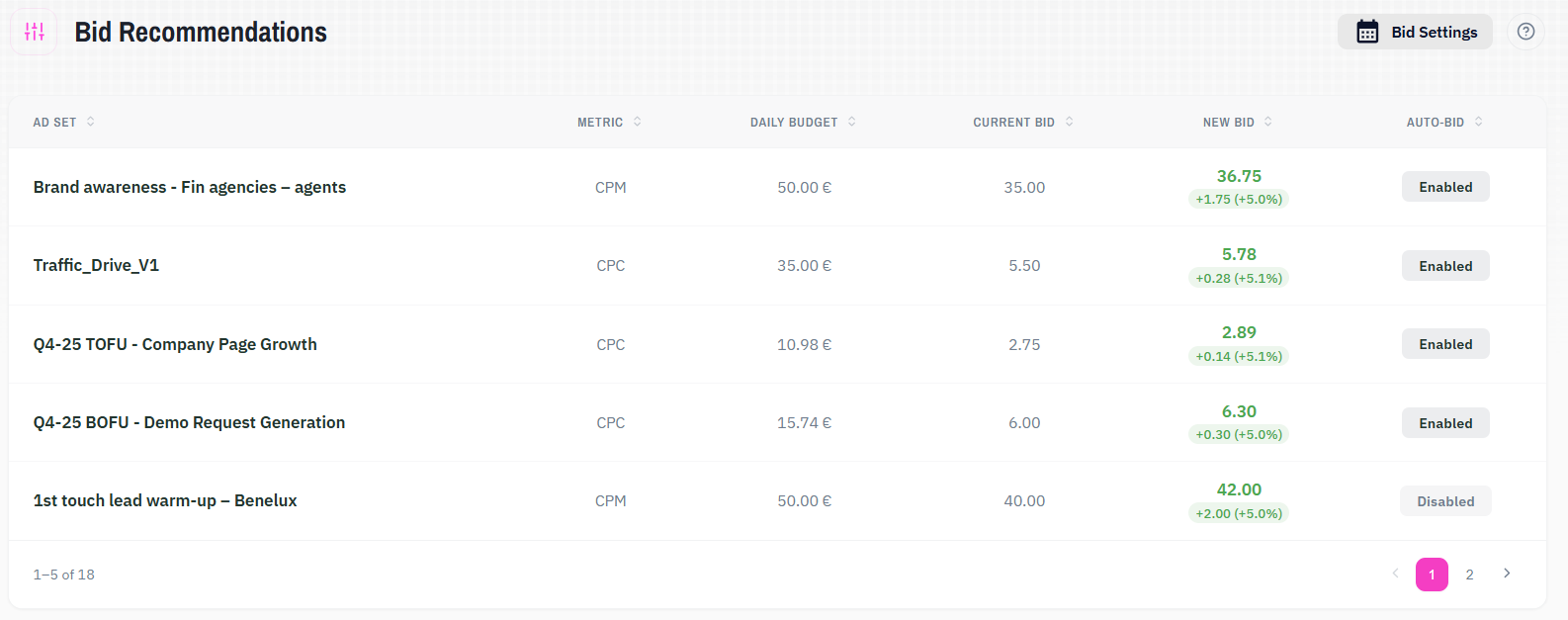
Qova Bid Recommendations is a LinkedIn Ads analytics tool. It monitors your manual bidding campaigns daily and measures spend against budget to detect where bids are too high or too low. You get precise bid adjustment recommendations and the option to apply them automatically on a schedule you control.
Bid Recommendations
01
Overspending and underspending become detectable
Campaigns spending above 95% of their daily budget are flagged as saturated, likely overpaying in the auction. Campaigns falling below 80% are flagged as underspending — resulting in delivery loss. Both states surface across your full campaign list without manual analysis.
02
Bid adjustments follow a controlled logic
Recommendations move bids in small increments to avoid overcorrection. You see proposed changes before anything applies. Each adjustment targets the spend range where campaigns deliver at the lowest possible CPC without going dark.
03
Ongoing bid management runs without daily intervention
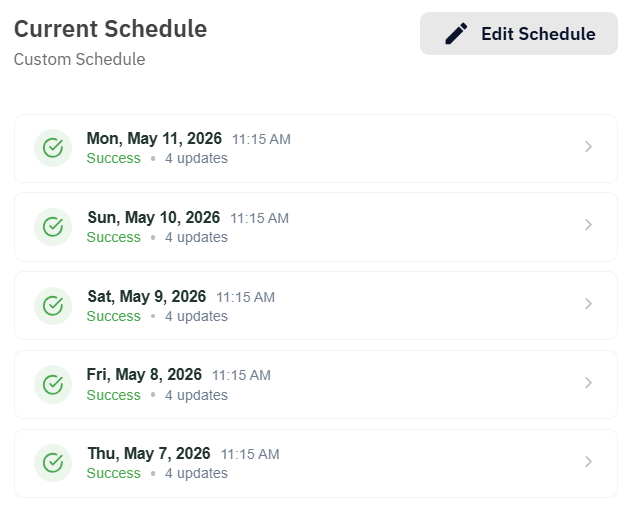
Campaigns you want managed automatically run on a bidding schedule. You set the frequency. Recommendations apply at the cadence you choose, without manual review each time.
The logic behind the analysis.
The spend ratio is the core signal
The algorithm measures average spend against each campaign's daily budget. That ratio determines which of three states the campaign is in: saturated, underspending, or in the sweet spot where no change is needed.
B2B data stays uncontaminated
The algorithm analyzes only Monday through Friday. Weekend traffic patterns in B2B are irregular and would skew recommendations toward non-representative days.
Adjustments are small by design
The default adjustment is 5% in either direction. Small increments keep delivery stable while each campaign finds its right bid level. The adjustment size is configurable if your campaigns need a faster response.
Nothing changes without your approval in manual mode
Recommendations surface in a preview window before any change takes effect. For scheduled campaigns, changes apply automatically at the frequency you set.
Built for manual bidding, tuned for B2B.
Three-state decision logic
Every campaign produces one outcome: a decrease in bid, an increase in bid, or no change. Thresholds are set at 95% for saturation and 80% for underspend.
Business days analysis
The algorithm uses only Monday through Friday data, keeping recommendations grounded in the days that drive B2B results.
Adjustable parameters
Four settings control tool behavior: the lookback window, the spend ceiling threshold, the spend floor threshold, and the bid adjustment step. Defaults are set for conservative management.
Preview window
Proposed bid changes appear before anything applies. Confirm what looks right and apply. Nothing changes without approval in manual mode.
Bidding schedules
Set a frequency, and recommendations apply automatically. Daily, weekly, or anything in between.
Bulk application
Select multiple campaigns and apply all recommendations in one action.
Combine with,
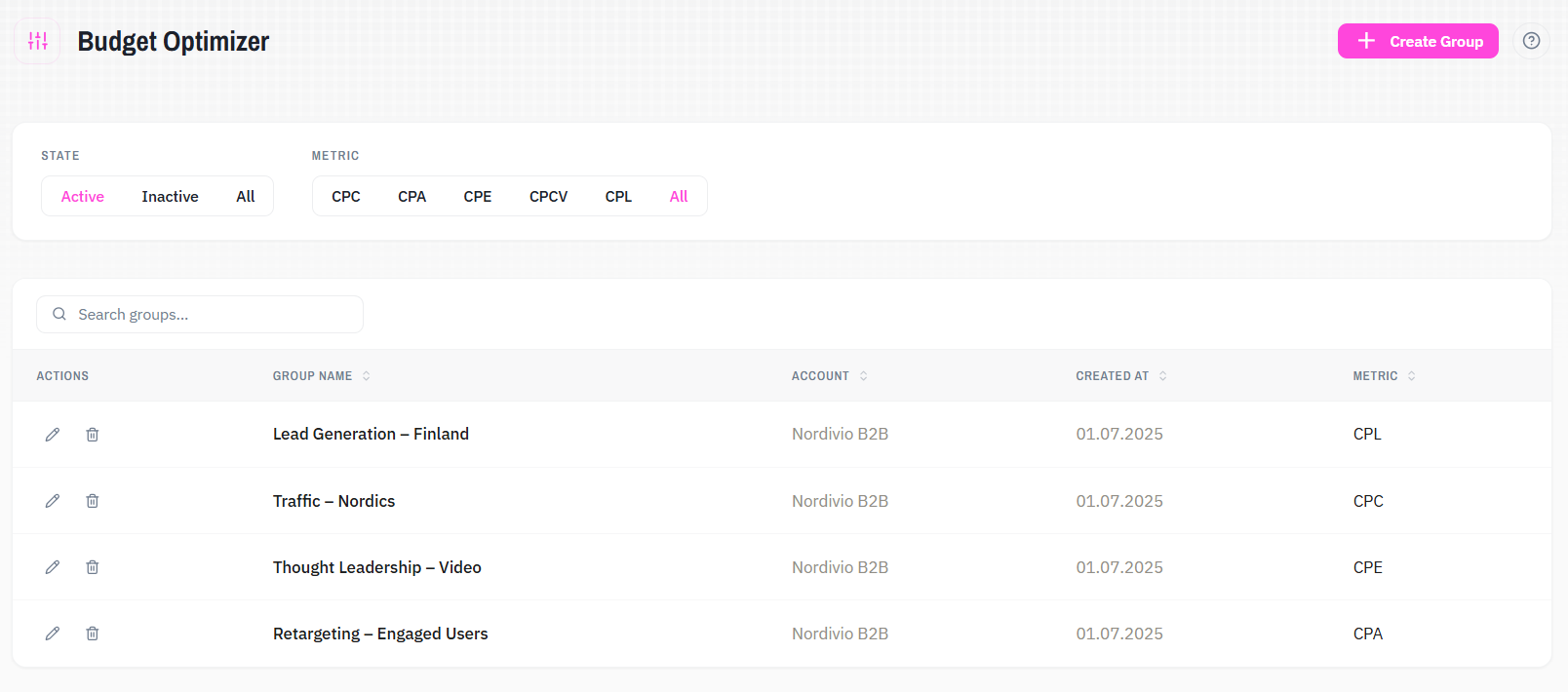
Budget Optimizer
Bidding Analyzer is built for manual bidding campaigns. Budget Optimizer covers the rest — Maximum Delivery and Cost Cap campaigns, where bid control works differently. Use both to manage every campaign type in your account.
See what your LinkedIn Ads data actually tells you.
Try it with your own data. All solutions are included from the start.