
The AI layer for LinkedIn Ads performance.

AI agents analyze your LinkedIn performance—audiences, bids, budgets, and patterns. You get recommendations and stay in control of every decision.
Näyttökuva 2026-05-13 092741

LinkedIn Ads is expensive. That's not the problem.

Every B2B marketer knows LinkedIn costs more.

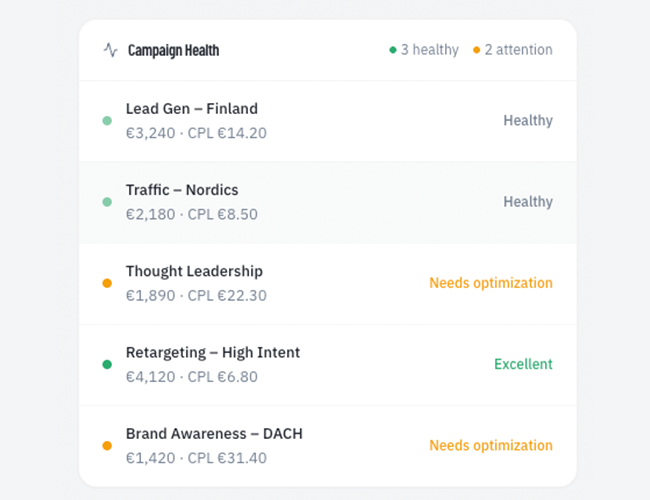
The real challenge? Making confident decisions about where to invest more—or where to cut. Visibility into what's working is fragmented. You can't easily see which job titles convert, which audiences move through the funnel, or where performance actually comes from. High-performers hit their caps while other campaigns keep spending.

LinkedIn provides the platform and the data. What's missing is the control layer that turns data into systematic decisions.

What separates teams who scale LinkedIn confidently from those who hesitate? The ability to steer strategically instead of optimizing manually.

Who needs the control layer

Three types of teams managing LinkedIn budgets that deserve actionable transparency

growth-teams-icp-square

Growth marketing teams

See which audience segments convert through your funnel and where to shift spend for maximum ROI. Allocate budgets automatically across campaigns based on efficiency. Analyze performance across every dimension—audiences, creatives, demographics—to understand what actually drives pipeline and results.

advertising_agency_icp_fp

Agencies

Bid recommendations based on rules you set—eliminate missed opportunities from underbidding and budget waste from overbidding across all your client accounts. Automate budget optimization to free your team from manual reallocation. Multi-account visibility helps you deliver stronger results through repeatable workflows.

big-budget-advertissers-icp-square

High-spend advertisers

Identify missed opportunities and budget leaks across your bids. Manage budgets across campaigns with clear, automatic reallocation logic. Get full transparency into how your audiences actually perform. Control ad rotation and scheduling to maximize creative impact and keep your ads fresh.
WHAT QOVA DOES?

Four ways AI agents help you optimize LinkedIn Ads performance.

CORE FEATURES

The tools that power smarter LinkedIn Ads decisions.

users-forest-green
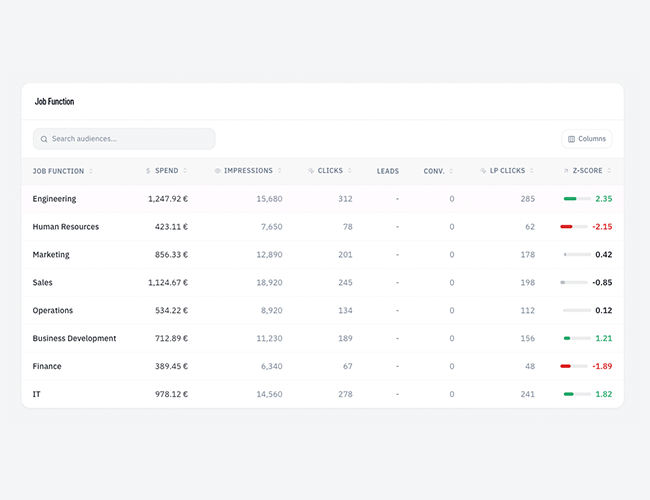
Audience Analyzer

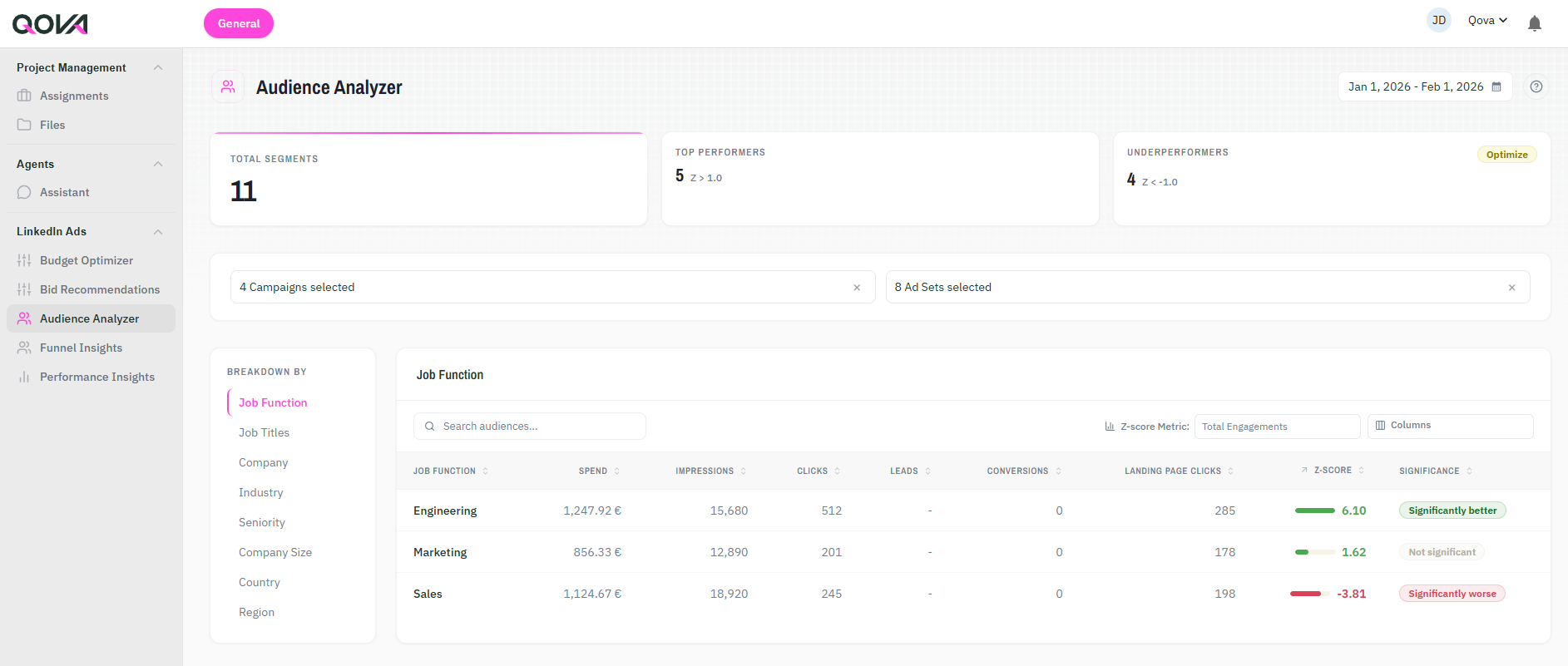
See which job titles, seniorities, countries, or other attributes perform best. Identify winners and losers across your campaigns—and understand which audiences drive spend and deliver clicks, leads, and conversions.

settings-sliders-forest-green
Budget Optimizer

Shift spend across campaigns based on your desired metric. Apply budget changes manually or automate reallocation based on performance


funnel-forest-green
Funnel Insights

Track how specific audience segments perform from top to bottom of your funnel. Spot segments that engage early but struggle to convert later.

ai-icon
AI Agents

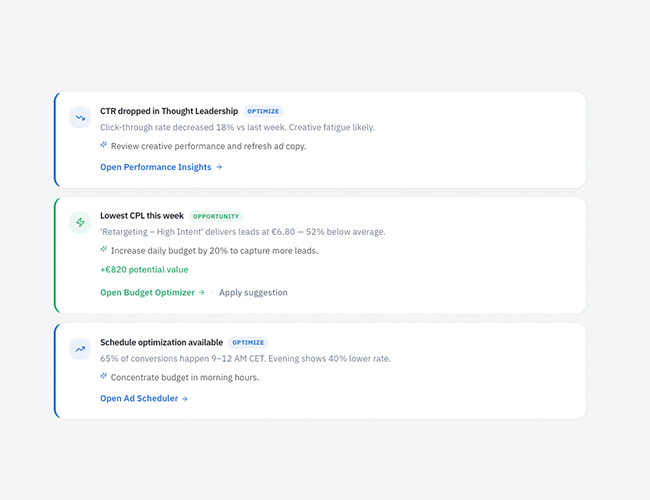
AI agents analyze your campaigns continuously—audience performance, bid efficiency, budget allocation, and creative impact. Get real-time recommendations you can approve manually or automate based on your rules. 

lightbulb-exclamation-forest-green
Bid Recommendations

Get bid recommendations that maximize budget usage without overspending or underspending. Set bid floors and ceilings to stay in control—then approve adjustments or apply them automatically.

chart-histogram-forest-green
Performance Insights

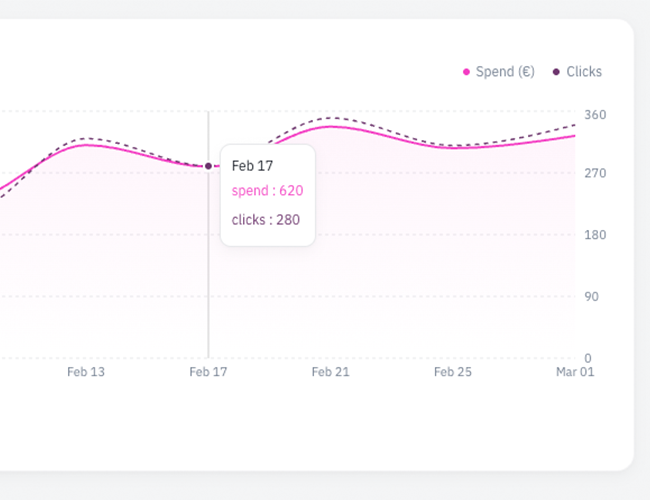
Get a high-level snapshot for quick checks or deep-dive into granular metrics by campaign, creative, or campaign group. Analyze performance across every dimension and customize views to track what matters to your goals.

FAQ

What teams ask before they start?

How does Qova connect to LinkedIn?

A: Qova connects through LinkedIn's official Marketing API using OAuth authentication. You authorize read and write permissions for your LinkedIn Ads account—just like connecting any third-party tool. You can revoke access anytime from your LinkedIn settings.

Does Qova make changes automatically to my campaigns?

Only if you want it to. Every feature can run in manual or automated mode. Bid recommendations and budget reallocations can be reviewed and approved before applying, or you can set rules and let Qova execute automatically. You stay in control.

What do I need to start using Qova?

An active LinkedIn Ads account with Campaign Manager access. Qova works with any budget size and any campaign structure. No technical setup required—connect your account and start analyzing performance immediately.

Can I use Qova if I'm managing multiple LinkedIn Ads accounts?

Yes. Agencies and teams managing multiple accounts can connect all of them to Qova. Switch between accounts, compare performance across clients, and apply optimizations at scale.

Is Qova right for small budgets?

Yes. Qova's insights and optimizations work at any budget level. Even with €1,000/month spend, understanding which audiences convert and where to reallocate budget creates meaningful impact. The platform doesn't require minimum spend thresholds.

Who owns my data and ad account?

You do. Qova accesses your LinkedIn Ads data through the official API with permissions you grant. Your campaigns, audience data, and performance metrics remain in your LinkedIn account. Disconnect Qova anytime without losing any data.