
funnel insights
See which audiences convert through the funnel.
Compare audiences to spot who sticks and who drops off.
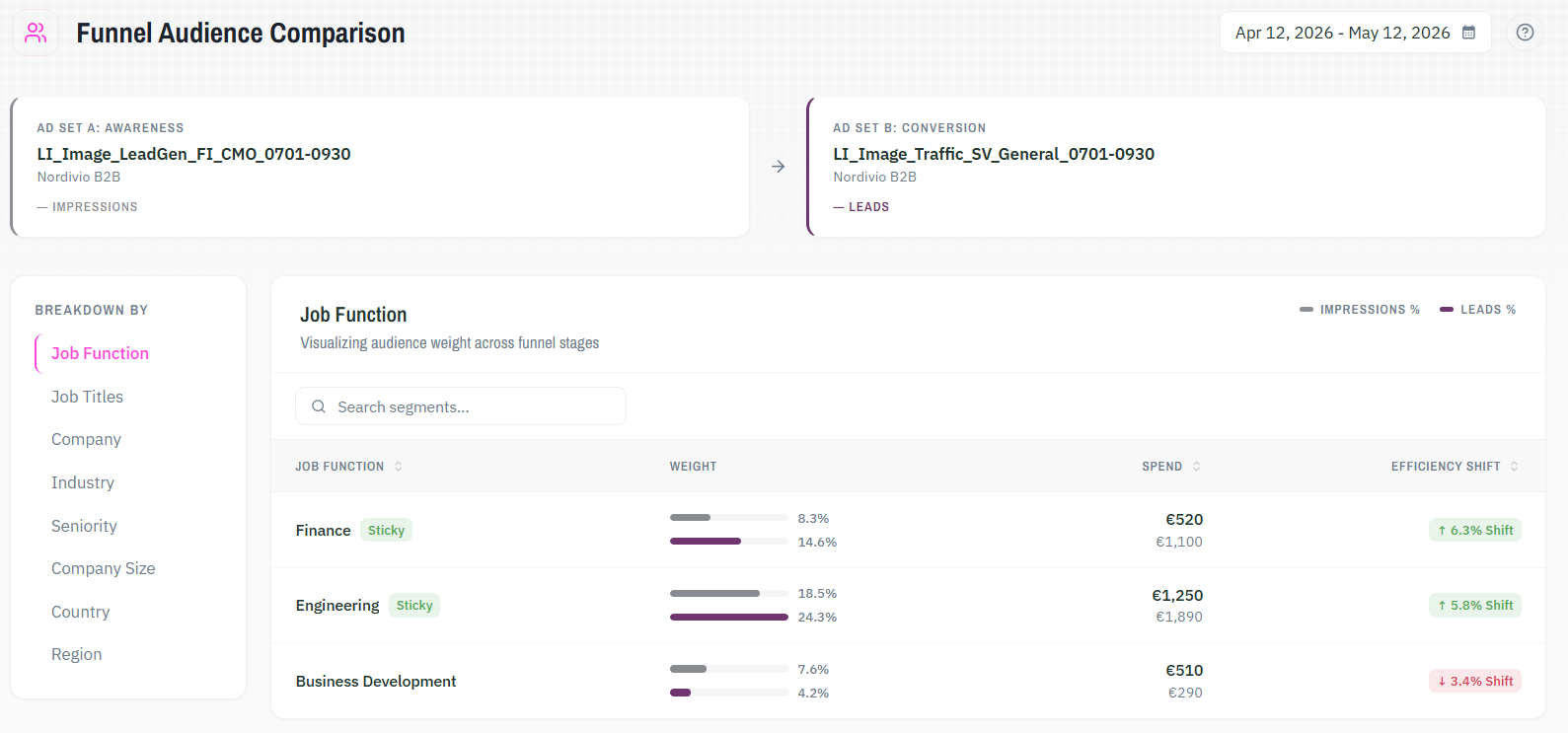
Funnel Insights is a LinkedIn Ads analytics tool. It compares two campaigns across funnel stages and measures how each audience segment's share shifts from one to the other. You see which segments hold through the funnel and which drop off before converting.
Funnel Insights
01
Full-funnel audiences become identifiable
Segments that engage at the top and convert at the bottom are flagged automatically with a sticky badge. You know which audiences hold through the entire funnel without manually cross-referencing campaign reports.
02
Lower-funnel budget waste becomes visible
Segments that consume spend between mid and bottom funnel without converting show up clearly in efficiency shift data. You see which audiences drop off and how much budget they carry before they do.
03
Audience patterns build across dimensions
Switching between job function, industry, seniority, and five other dimensions shows how the same funnel comparison can be read from different angles. A complete picture of which audiences hold emerges from the data, not from assumptions.
The logic behind the analysis.
Comparison is based on share, not volume
Each segment's weight is its share of the primary metric in each campaign. A shift in that share from one campaign to the next is the efficiency shift. Absolute numbers do not distort the comparison.
Metrics match each campaign's objective
Funnel Insights identifies the funnel stage and automatically sets the primary metric. Awareness campaigns measure impressions. Lead generation campaigns measure qualified leads. The comparison adjusts to what each campaign is actually measuring.
Efficiency shift shows directional movement
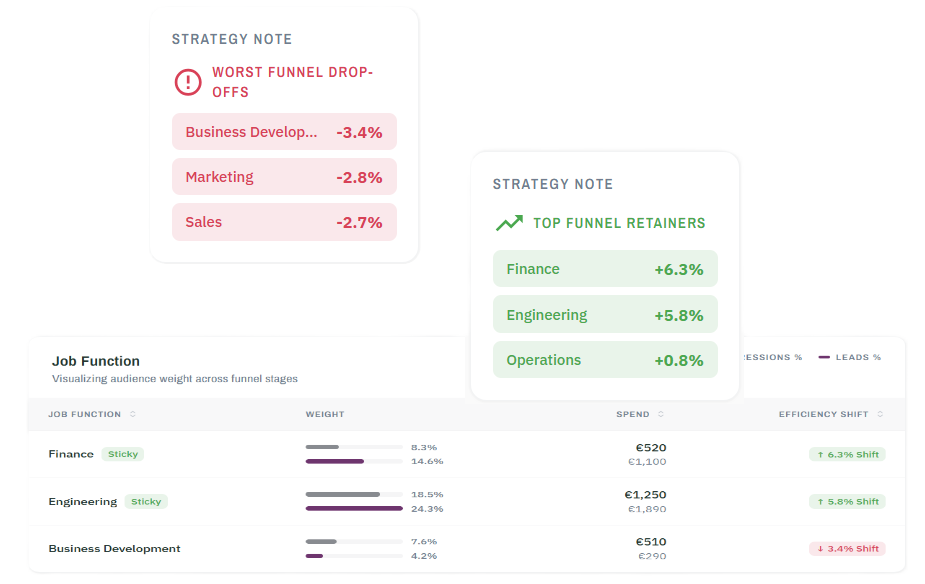
A positive shift means a segment grew its share, moving deeper into the funnel. A negative shift means it dropped off. Segments with a shift of more than 5 percentage points receive a sticky badge automatically.
Priority lists surface without manual filtering
The tool generates two lists from the data: Top Funnel Retainers and Worst Funnel Drop-offs. Both update automatically when you change campaigns or dimensions.
Built to show what single-campaign data cannot.
Auto-detected funnel stages and metrics
Select any two campaigns, and Funnel Insights automatically sets the funnel stage and primary metric for each.
Efficiency shift with directional indicators
Each segment shows the percentage-point change in share from Campaign A to Campaign B. Green indicates growth. Red indicates drop-off.
Sticky badge
Segments with an efficiency shift of more than 5 percentage points are automatically flagged. These are your full-funnel audiences.
Top Funnel Retainers and Worst Funnel Drop-offs
The sidebar automatically generates two prioritized lists. Both update when you change campaigns or dimensions.
Eight breakdown dimensions
Analyze shifts by job function, job title, seniority, company, industry, company size, country, or region.
Combine with,
Audience Analyzer
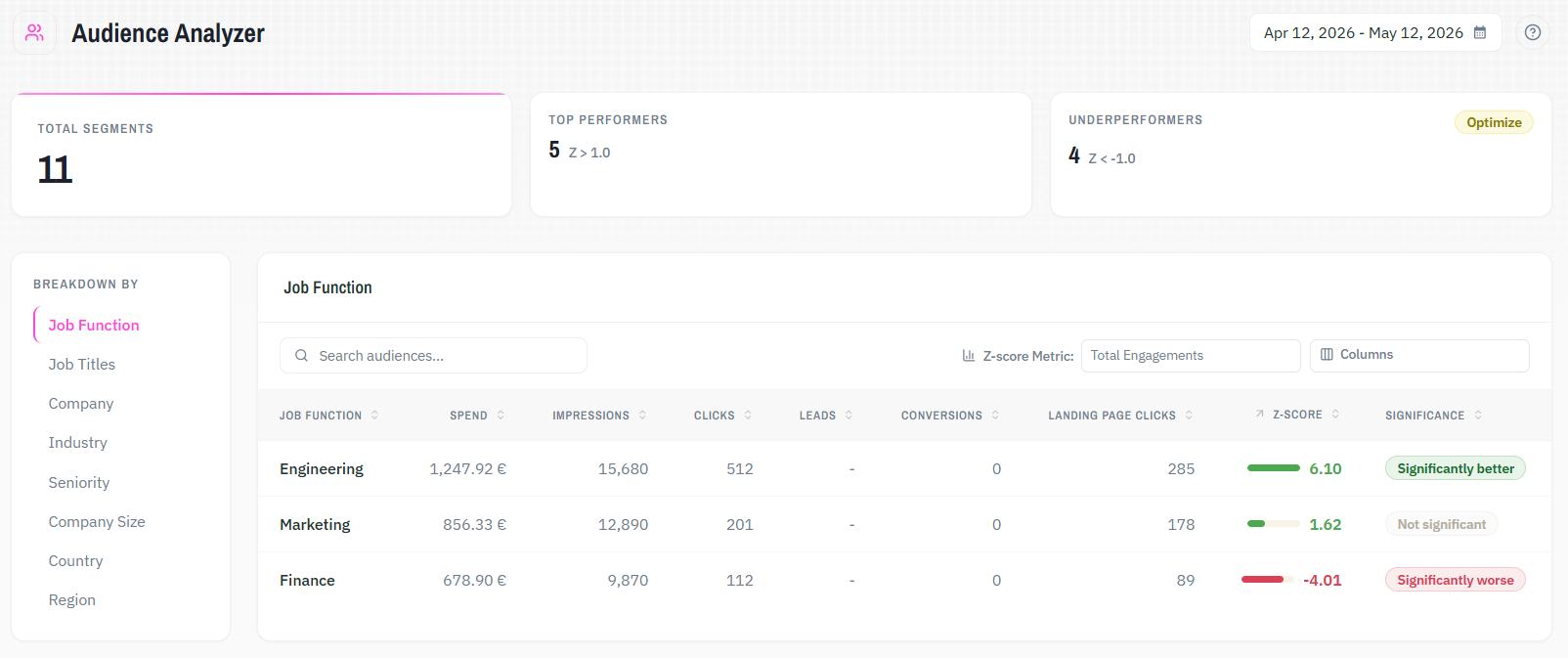
Funnel Insights shows which segments drop off at each funnel stage. Audience Analyzer shows which segments underperform within a single campaign and gives you a direct path to exclude them. Use both to identify weak audiences and act on them precisely.
See what your LinkedIn Ads data actually tells you.
Try it with your own data. All solutions are included from the start.